Buying your ticket online, and getting through the door
8 September 2026 by Crafting Realm
Tickets can now be ordered and issued here at Crafting Realm. What the checkout asks for, what lands in your inbox, and how to get in quickly on the day.
Tickets can now be ordered and issued here at Crafting Realm. You are not handed off to another company halfway through, and there is no account to create.
You do not have to buy in advance. You can still turn up and pay on the door on the day, exactly as you always could. Buying online is an option, not a requirement — it just means you walk straight in, and you know what it costs before you set off.
Here is exactly what happens if you do buy online, so nothing on the day is a surprise.
Buying a ticket
Open the show you want from the Show Calendar. A show with tickets available says so on the card, and again at the top of its page.
Choose how many of each kind of ticket you need — adult, senior, and so on — and the total adds up as you go, so you can see what you are agreeing to before you agree to it. Then your first name, surname and email address, and that is all we ask for. No address, no account, no password.
Pay with PayPal or a debit or credit card. You do not need a PayPal account to use a card. The payment happens on this page rather than on somebody else's, and your card details go straight to PayPal — they never touch our site, and we never see them.
What arrives
Your tickets are emailed the moment the payment goes through, usually within a few seconds. The email contains:
- One ticket per person, each with its own code and QR square
- A link to your order, if you would rather open it on the day than dig out the email
- A link to add the date to your calendar
If you bought four tickets, you get four — one for each person coming. They are not four copies of the same thing.
If it has not arrived within a few minutes, look in your spam or junk folder first, because a first email from a new address often lands there. If it is genuinely not there, ring us on 07976 778928 and we will send it again. Do not buy a second time.
Showing it at the door
Each ticket carries a square like this one, with your own code inside it:
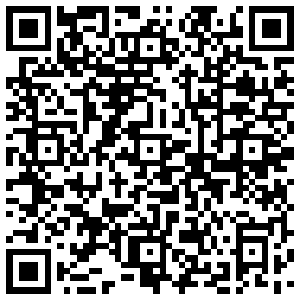
Have the QR square on the screen before you reach the desk, not the email it came in. It scans in about a second, and the queue moves at the speed of whoever is fumbling for it.
A few things that make it quicker:
- Turn your brightness up. A dim screen in a bright hall is the single most common reason a scan takes three goes instead of one.
- Take your phone out of its case if the case has a flap that covers the screen.
- A printed ticket scans just as well. If you would rather print it, print it. Nobody minds.
- Each person needs their own ticket. If you are all on one phone, that is fine — just be ready to swipe between them.
Each ticket admits one person and is scanned once. If the scanner says a ticket has already been used, do not worry and do not queue again — the person on the door can look you up by name, email address or order number and sort it out on the spot.
On the day
Doors open at 10am. Parking is free at every venue, and unloading and access are on the level.
Children under 14 come in free with an adult — you do not need to buy them a ticket or add them to your order.
Paying on the door instead
Every show still takes payment on the door on the day, and always will. Nobody is turned away for not having booked, and there is no price difference for buying ahead.
The only things an advance ticket gives you are a shorter wait at the desk and the certainty of a place at a show that turns out to be busy. If neither of those matters to you, come as you always have.
If something goes wrong
Ring 07976 778928. We would far rather hear about it than have somebody stood at a desk feeling awkward. A ticket that will not scan is almost never the customer's fault, and it is not something we make a fuss about.